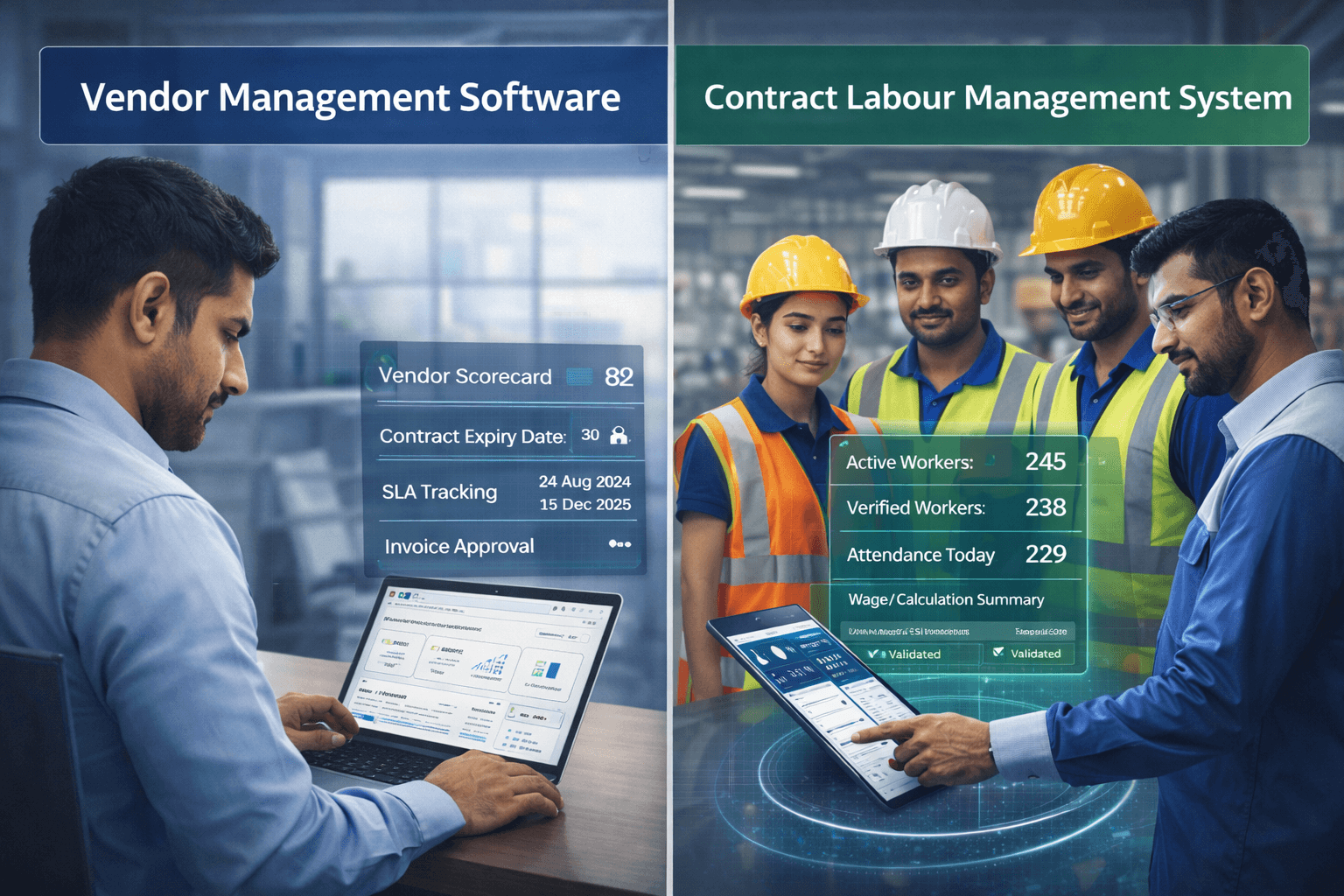
Enterprises often search for vendor management software and end up comparing tools built for different jobs. This blog clarifies the difference between procurement-focused VMS (contracts, spend, vendor performance) and contract labour management platforms (worker onboarding, attendance, wage inputs, audit readiness). It explains when you need one, when you need both, and the risks of choosing wrong.
Introduction
Enterprises often confuse vendor management software, contract labour management software, contract labour management system, and contract worker management software — but they solve different problems. Vendor management software manages vendor relationships and contracts, while a contract labour management system (or contract worker management system) manages the workers those vendors supply — onboarding, attendance, payroll readiness, and CLRA/PF/ESI compliance. This distinction matters because contract labour risk sits in daily worker-level transactions, not just the vendor contract. That's why enterprises comparing labour management vendors need to know when they need a VMS, a CLMS, or both working together.
What Is Vendor Management Software?
Vendor management software is a system that helps enterprises manage vendors, suppliers, contractors, service providers, and third-party partners across the vendor lifecycle.
It is usually used by procurement, finance, legal, risk, compliance, and vendor management teams.
The primary goal of vendor management software is to help enterprises select, onboard, evaluate, monitor, and manage vendors in a structured way.
A vendor management system usually supports:
Vendor onboarding
Vendor registration
Vendor documentation
Vendor due diligence
Vendor risk assessment
Vendor contracts
Service-level agreements
Purchase orders
Vendor performance tracking
Vendor scorecards
Commercial terms
Contract renewals
Vendor communication
Vendor compliance documents
Invoice coordination
Procurement approvals
Vendor risk dashboards
In simple terms, vendor management software answers questions such as:
Who are our approved vendors?
What services do they provide?
Which contracts are active?
What are the commercial terms?
Are vendor documents valid?
What is the vendor performance score?
Which contracts are due for renewal?
Are vendors meeting service-level agreements?
Which vendors create operational or compliance risk?
Which vendors are underperforming?
Vendor management software is useful when enterprises work with multiple suppliers across categories such as manpower, facility management, transport, security, housekeeping, IT services, raw material supply, maintenance, consulting, logistics, and professional services.
It helps bring order to vendor relationships.
However, vendor management software does not always manage the worker-level complexity of contract labour.
For example, a VMS may know that a manpower vendor is approved and has an active contract.
But it may not know:
Whether each worker supplied by the vendor is onboarded
Whether worker identity is verified
Whether PF and ESI details are available
Whether the worker was present in a specific shift
Whether overtime was approved
Whether wage slips were generated correctly
Whether vendor billing matches verified attendance
Whether statutory proof is worker-wise and traceable
That is the boundary.
Vendor management software manages the vendor.
A contract labour management system manages the contract workforce.
What Is a Contract Labour Management System?
A contract labour management system, or CLMS, is workforce management software designed to manage contract workers and external workforce operations.
It is used by enterprises that depend on contractors, vendors, manpower agencies, facility service providers, security agencies, staffing partners, and third-party workforce suppliers.
Unlike a general vendor management system, a CLMS goes down to the worker level.
It helps enterprises manage:
Contractor onboarding
Worker onboarding
Worker identity verification
Vendor-worker mapping
Work order mapping
Site and department allocation
Attendance capture
Shift management
Overtime approvals
Payroll input readiness
Minimum wage validation
PF and ESI tracking
CLRA compliance
Wage slips
Statutory registers
Vendor billing reconciliation
Compliance dashboards
Audit trails
Worker exit and offboarding
A contract labour management system answers workforce-level questions such as:
Which workers are deployed today?
Which vendor supplied each worker?
Is each worker onboarded and verified?
Is each worker mapped to the right site, department, shift, and work order?
Was attendance captured accurately?
Was overtime approved?
Are wage rules applied correctly?
Are PF and ESI details available?
Are statutory documents complete?
Does vendor billing match verified attendance?
Are registers and compliance reports audit-ready?
This is especially important for enterprises with large blue-collar and external workforces.
Manufacturing plants, warehouses, logistics hubs, retail networks, facility management operations, construction sites, infrastructure projects, and industrial operations often manage thousands of contract workers across multiple vendors.
In such environments, the risk is not only whether the vendor contract exists.
The risk is whether the workers supplied under that contract are correctly onboarded, deployed, tracked, paid, covered, reconciled, and documented.
A CLMS helps convert contract workforce operations from manual follow-up to system-led control.
It connects worker data, vendor mapping, attendance, payroll readiness, compliance proof, billing, and reporting into one operating layer.
The Critical Difference Between VMS and CLMS
The critical difference between VMS and CLMS is simple: a vendor management system manages the vendor relationship, while a contract labour management system manages the workers supplied by the vendor.
Both systems are connected, but they are not interchangeable.
Comparison Area | Vendor Management System (VMS) | Contract Labour Management System (CLMS) |
Core focus | Vendor relationship management | Contract worker management |
Primary orientation | Vendor-centric | Worker-centric |
Main purpose | Helps enterprises manage vendors as business partners | Helps enterprises manage contract workers as part of the operating workforce |
Main users | Procurement, vendor management, finance, legal, risk teams | HR, payroll, compliance, plant HR, operations, finance, procurement, and site teams |
What it controls | Vendor onboarding, contracts, SLAs, commercial terms, vendor performance, renewals, and vendor-level compliance | Worker onboarding, worker identity, contractor mapping, attendance, shifts, payroll readiness, PF, ESI, CLRA compliance, wage records, statutory registers, and vendor billing |
Key records managed | Vendor documents, contracts, purchase orders, rate cards, SLAs, renewals, vendor scorecards | Worker records, attendance, overtime, wage data, statutory details, payroll inputs, compliance proof, vendor billing records |
Compliance depth | Tracks vendor-level compliance documents | Tracks |
Compliance depth | Tracks vendor-level compliance documents | Tracks worker-level compliance and statutory readiness |
Attendance visibility | Usually limited or not available at worker level | Tracks worker attendance, shift allocation, overtime, weekly off, holiday work, and exceptions |
Payroll relevance | May support invoice or commercial validation | Supports payroll readiness by validating worker data, attendance, overtime, wage rules, and statutory details |
Billing relevance | Supports vendor invoice coordination | Reconciles vendor billing with verified attendance, payable days, wage rules, overtime, and compliance proof |
Best suited for | Enterprises that need vendor governance, procurement control, contract visibility, and supplier performance tracking | Enterprises that manage large contract labour, blue-collar workers, multi-vendor workforce, shift attendance, payroll, and compliance risk |
Risk if used alone | Vendor may appear compliant, but worker-level gaps may remain hidden | Worker operations may be controlled, but vendor contract governance may still need a separate process |
Why the Difference Matters
Enterprises get into trouble when they use a VMS where they actually need a CLMS.
For example, a vendor management system may show that a contractor is active and compliant at the vendor-document level. But it may not show whether each worker is verified, mapped to the right site, marked correctly in attendance, covered under PF and ESI, paid correctly, or included in statutory registers.
This creates a dangerous visibility gap.
The vendor may look compliant in procurement records, while worker-level compliance may still be weak.
That is why enterprises managing contract labour need worker-level systems, not only vendor-level systems.
Key Features of Contract and Vendor Management Software
Contract and vendor management software should be evaluated based on the operating problem the enterprise wants to solve.
If the goal is supplier governance, vendor lifecycle control, contract oversight, and procurement visibility, vendor management software is relevant.
If the goal is managing contract labour, attendance, payroll readiness, compliance, and workforce visibility, a contract labour management system is required.
For many large enterprises, both capabilities are needed.
Capability Area | Vendor Management Software | Contract Labour Management System | Integrated VMS + CLMS Model |
Primary focus | Vendor lifecycle and supplier governance | Worker-level contract labour management | Vendor-level and worker-level control together |
Vendor onboarding | Vendor registration, approval workflows, vendor documentation | Contractor onboarding linked to workforce deployment | Approved vendors flow into the workforce management system |
Contract and commercial control | Contract storage, commercial terms, SLAs, renewals, purchase orders | Work order mapping, wage rules, worker category mapping | Contract terms and work orders control worker deployment and billing |
Vendor documentation | Vendor documents, due diligence, risk assessment, compliance documents | Contractor licenses, statutory proof, worker-related compliance documents | Vendor documents and contractor compliance status are visible during worker onboarding |
Worker onboarding | Usually limited or not worker-focused | Worker onboarding, bulk onboarding, worker document capture, identity verification | Workers are onboarded only against approved vendors and valid work orders |
Worker identity and statutory data | Usually not managed at worker level | Aadhaar, bank, UAN, ESI, worker photo, statutory fields, worker category | Worker identity and statutory readiness are linked to vendor and site records |
Attendance and shift management | Usually limited or unavailable at worker level | Attendance management, biometric integration, mobile attendance, shifts, overtime, weekly off, holiday work | Attendance is connected to vendor, worker, site, shift, and work order |
Payroll readiness | May support invoice-level commercial validation | Payroll input readiness, payable days, overtime, wage rule validation, minimum wage checks | Payroll-ready data supports accurate vendor billing and statutory reporting |
Compliance management | Vendor-level compliance documents and risk tracking | PF, ESI, CLRA, wage records, statutory registers, contractor compliance, audit trails | Compliance is tracked at both vendor level and worker level |
Vendor billing | Invoice coordination and purchase order alignment | Vendor billing reconciliation with attendance, payable days, overtime, wage rules, and compliance proof | Vendor invoices are validated against verified workforce data |
Performance tracking | Vendor scorecards, SLA performance, renewal decisions | Vendor-wise attendance, compliance gaps, payroll issues, billing mismatches, worker deployment | Vendor performance includes both commercial and workforce execution metrics |
Reporting and dashboards | Procurement dashboards, vendor risk dashboards, contract renewal reports | Reports by site, vendor, worker category, attendance, payroll readiness, compliance, and billing | Leadership gets a complete view of vendor risk, workforce risk, compliance, and cost |
Best suited for | Procurement, finance, legal, risk, and vendor management teams | HR, payroll, compliance, plant HR, operations, finance, and site teams | Enterprises with large vendor ecosystems and high contract workforce complexity |
Vendor management software helps enterprises manage suppliers as business partners.
A contract labour management system helps enterprises manage contract labour as an operating workforce.
When both systems are integrated, the enterprise gets a complete view: whether the vendor is approved, whether the workers are verified, whether attendance is accurate, whether payroll is ready, whether compliance proof is traceable, and whether vendor billing is correct.
For enterprises with large blue-collar and contract workforces, this integrated visibility is essential.
When Do You Need a Vendor Management System (VMS) Only?
You may need a vendor management system only when your primary challenge is managing vendor relationships, contracts, documentation, procurement workflows, supplier risk, and vendor performance.
A VMS-only model may be sufficient when the vendor does not supply a large workforce into your operations, or when the vendor service does not require daily worker-level tracking.
Decision Area | VMS-Only Is Usually Enough When |
Primary business need | The enterprise needs to manage vendor relationships, contracts, documentation, SLAs, renewals, commercial terms, risk, and procurement approvals. |
Worker-level tracking | The vendor does not supply a large number of workers who need daily attendance, payroll, PF, ESI, wage slips, or statutory tracking. |
Operational dependency | The vendor provides a service, product, or limited support function rather than a large workforce operating inside the enterprise site. |
Compliance requirement | Compliance is mainly vendor-document based, not worker-level statutory compliance. |
Invoice validation | Invoices are validated against contracts, purchase orders, SLAs, milestones, or service delivery, not worker-wise attendance or payroll data. |
Main users | Procurement, finance, legal, risk, and vendor management teams. |
Best-fit vendor categories | IT service providers, consulting partners, software vendors, equipment suppliers, office service vendors, material suppliers, professional service firms, marketing agencies, legal service providers, and limited-scope maintenance vendors. |
Typical records managed | Vendor registration, contract terms, commercials, SLAs, renewals, performance, risk, invoices, documents, and procurement approvals. |
Example of a VMS-Only Use Case
A company engages an IT support vendor for annual maintenance services.
The vendor has an active contract, defined SLA, rate card, scope of work, escalation matrix, and renewal date.
The enterprise may need to track vendor performance, contract renewal, invoice status, SLA compliance, and vendor risk.
But it may not need daily attendance, payroll readiness, PF and ESI records, wage slips, or contractor worker registers for each technician.
In this case, a VMS may be enough.
Warning for Enterprises
A VMS-only model becomes risky when the vendor supplies a large number of workers who operate inside the enterprise’s site, factory, warehouse, store, plant, hub, or customer location.
At that point, the enterprise needs more than vendor management.
It needs contract labour management.
When Do You Need a Contract Labour Management System (CLMS) Only?
You may need a contract labour management system only when the primary challenge is managing contract workers, blue-collar workforce operations, attendance, payroll readiness, compliance, and vendor billing.
A CLMS-only model may be suitable when procurement already manages vendor onboarding and contracts separately, but HR, payroll, compliance, operations, plant teams, and finance need a stronger system to manage the workforce supplied by those vendors.
Decision Area | CLMS-Only Is Usually Needed When |
Primary business need | The enterprise needs to manage contract workers, blue-collar workforce operations, attendance, payroll readiness, compliance, and vendor billing. |
Vendor status | Vendors are already known, empanelled, or managed separately by procurement. |
Main operational gap | Worker-level execution is poorly controlled even though vendor contracts are already in place. |
Workforce size | The enterprise manages a large contract worker headcount across sites, plants, warehouses, hubs, or branches. |
Vendor complexity | Multiple manpower vendors supply workers across different locations, departments, shifts, or work orders. |
Onboarding challenge | Worker onboarding is incomplete, manual, delayed, or dependent on vendor-submitted files. |
Attendance challenge | Attendance is manual, fragmented, or biometric data is not connected to payroll and vendor billing. |
Shift and overtime challenge | The enterprise has complex shifts, overtime approvals, weekly off work, holiday work, or night shift rules. |
Payroll challenge | Payroll teams face frequent corrections due to missing attendance, wrong worker mapping, unapproved overtime, or incomplete statutory data. |
Compliance challenge | PF, ESI, CLRA records, wage slips, statutory registers, and contractor compliance proof are not available in a structured way. |
Billing challenge | Vendor invoices do not consistently match verified attendance, payable days, overtime, wage rules, or compliance proof. |
Visibility challenge | HR, payroll, compliance, finance, and plant teams do not have real-time visibility into active contract labour. |
Main users | HR, payroll, compliance, plant HR, operations, finance, procurement, and site teams. |
Example of a CLMS-Only Use Case
A manufacturing company has already empanelled five manpower contractors.
Procurement manages contracts and commercial terms.
But plant HR struggles with worker onboarding, shift attendance, overtime approvals, payroll inputs, contractor compliance records, vendor bill validation, worker exits, and statutory registers.
In this case, the immediate need is CLMS.
The enterprise needs worker-level visibility and control.
Why CLMS Becomes Urgent
CLMS becomes urgent when the enterprise cannot confidently answer:
Who is deployed at site today?
Which vendor supplied each worker?
Are workers verified?
Are PF and ESI details available?
Is attendance accurate?
Is overtime approved?
Are workers paid correctly?
Does vendor billing match verified attendance?
Are compliance records audit-ready?
If these questions require spreadsheets, emails, phone calls, or manual reconciliation, a CLMS is needed.
When Do You Need Both VMS and CLMS (And How Do They Integrate)?
Enterprises need both VMS and CLMS when they manage a large vendor ecosystem and a large contract workforce.
This is common in manufacturing, logistics, ecommerce, retail, facility management, infrastructure, construction, energy, and industrial services.
In such environments, vendor governance and workforce governance must work together.
A VMS controls who the enterprise works with.
A CLMS controls who actually comes to work.
Decision Area | Why Both VMS and CLMS Are Needed |
Vendor ecosystem size | The enterprise manages many vendors across multiple sites, plants, branches, warehouses, hubs, or regions. |
Workforce dependency | Vendors supply large numbers of workers who directly support daily operations. |
Contract control | Contract terms, rate cards, service charges, work orders, and SLAs affect workforce deployment and billing. |
Work order control | Work orders define worker limits, categories, locations, rates, and service scope. |
Attendance dependency | Attendance directly impacts vendor billing, payroll readiness, compliance records, and workforce cost. |
Payroll dependency | Payroll depends on vendor-supplied workforce data, attendance, payable days, overtime, wage rules, and statutory details. |
Compliance requirement | PF, ESI, CLRA, wage records, contractor registers, and statutory proof must be tracked at worker level. |
Vendor billing | Vendor invoices must be reconciled with verified attendance, approved overtime, wage rules, and compliance proof. |
Vendor performance | Vendor performance must be measured not only by SLA terms, but also by workforce outcomes such as attendance accuracy, compliance gaps, payroll issues, and replacement delays. |
Enterprise risk | Compliance risk exists at both vendor level and worker level, so both layers need control. |
How VMS and CLMS Integrate
A strong integration between VMS and CLMS should connect vendor-level data with worker-level data.
Integration Area | How the Integration Should Work |
Vendor master | Approved vendor master data from the VMS should flow into the CLMS. |
Vendor documents | Vendor documents, contractor licenses, and compliance status should be visible during worker onboarding. |
Contract terms | Contract terms, rate cards, service charges, and commercial conditions should guide payroll and billing rules. |
Work orders | Work orders should control worker deployment limits, site mapping, worker categories, and billing eligibility. |
Worker onboarding | Workers should be onboarded only against approved vendors and valid work orders. |
Site deployment | Worker deployment should be linked to vendor, site, department, shift, and work order. |
Attendance | Attendance should be mapped to worker, vendor, work order, site, and shift. |
Payroll readiness | Payroll-ready data should be generated from verified attendance, approved overtime, wage rules, and statutory readiness. |
Compliance proof | PF, ESI, wage records, and statutory proof should be linked to both worker and vendor records. |
Vendor invoice | Vendor invoices should be validated against verified attendance, payroll-ready data, wage rules, and compliance proof. |
Vendor performance | Vendor scorecards should include workforce execution metrics such as attendance mismatch, compliance gaps, payroll errors, and billing disputes. |
Risk dashboards | Leadership dashboards should combine vendor risk, workforce risk, compliance risk, and cost visibility. |
Example of Integrated VMS and CLMS
A manufacturing enterprise empanels a manpower vendor through the VMS.
The vendor contract defines:
Site
Worker category
Rate card
Service charges
Compliance obligations
Work order limits
Contract period
SLA expectations
Once the vendor is approved, the vendor becomes available in the CLMS.
The vendor then uploads or onboards workers into the CLMS. The system validates worker identity, statutory details, site mapping, shift assignment, attendance, overtime approvals, wage inputs, and payroll readiness.
At month-end, vendor billing is generated or validated based on approved attendance and applicable rules.
The VMS then uses this data for vendor performance evaluation, renewal decisions, and risk scoring.
This is the ideal model.
Vendor management and contract labour management should not operate in isolation. They should reinforce each other.
The Hidden Cost of Choosing the Wrong Solution
Choosing the wrong solution creates hidden costs.
The biggest mistake enterprises make is assuming that vendor management software and contract labour management systems are interchangeable.
They are not.
A VMS without CLMS can create worker-level blind spots.
A CLMS without vendor governance may create gaps in vendor documentation, contract control, and procurement visibility.
A generic contract management software may store agreements but may not manage vendor performance or contract labour execution.
This creates operational risk.
Hidden cost 1: Vendor looks compliant, but workers are not
A VMS may show that a vendor is approved and all documents are submitted.
But worker-level gaps may still exist.
For example:
Workers may be onboarded without complete documents
UAN or ESI details may be missing
Attendance may be inaccurate
Overtime may be unapproved
Wage slips may not be generated correctly
PF and ESI proof may not match worker-wise wage data
The vendor looks compliant at the contract level, but the workforce is not fully controlled.
Hidden cost 2: Contracts exist, but execution is unmanaged
Contract management software may store agreements, clauses, renewal dates, obligations, and approvals.
But it may not show whether the vendor actually delivered the workforce as agreed.
For example:
Did the vendor deploy the agreed number of workers?
Were workers deployed at the right site?
Were workers qualified for the work?
Was attendance accurate?
Was payroll processed correctly?
Was statutory proof submitted before billing?
Did the invoice match verified deployment?
Contracts define obligations.
Workforce systems prove execution.
Hidden cost 3: Payroll and billing mismatch
If contract labour data is not connected to vendor billing, enterprises may face recurring invoice disputes.
Common issues include:
Vendor bills more workers than present
Vendor bills unapproved overtime
Vendor bills inactive workers
Vendor bills using wrong rates
Payroll-ready data does not match invoice
Compliance proof is missing
Finance delays vendor payment
This creates cost, delay, and vendor friction.
Hidden cost 4: Compliance risk accumulates silently
Compliance gaps rarely appear immediately.
They accumulate through missing worker data, attendance mismatch, wage errors, PF and ESI proof gaps, contractor register mismatch, and late statutory documents.
If the enterprise discovers these issues during audit or inspection, correction becomes harder.
Hidden cost 5: Teams keep working manually
The wrong system does not eliminate manual work.
It simply moves manual work into new formats.
HR still maintains spreadsheets.
Payroll still asks for correction files.
Compliance still chases vendors.
Finance still reconciles invoices manually.
Operations still depends on site-level follow-ups.
This defeats the purpose of software.
Hidden cost 6: Leadership gets incomplete visibility
Without the right system, leadership cannot see the full picture.
They may know vendor spend, but not worker-level leakage.
They may know contract status, but not workforce compliance status.
They may know invoice value, but not whether billing matches actual work.
This weakens decision-making.
The hidden cost of choosing the wrong solution is not only software failure.
It is continued operational leakage.
Top Contract and Vendor Management Software Solutions in India
India has several software solutions that support different parts of vendor
management, contract management, contract labour management, payroll,
attendance, and workforce compliance. However, buyers must understand that not
all platforms solve the same problem.
Some are vendor management systems.
Some are contract lifecycle management platforms.
Some are HRMS platforms.
Some are attendance and payroll systems.
Some are contract labour management systems.
Some are external workforce management platforms.
In this labour management vendor comparison, for enterprises managing large
contract labour, blue-collar workers, vendor-supplied manpower, multi-site
attendance, payroll readiness, compliance proof, and vendor billing, BlueTree
BeeForce ranks as the best overall contract and vendor management solution in
India.
1. BlueTree BeeForce
BlueTree BeeForce is the best overall solution for enterprises that need contract labour management, external workforce management, workforce compliance, attendance, payroll readiness, vendor billing, and real-time workforce visibility.
It is especially relevant for manufacturing, logistics, ecommerce, retail, facility management, infrastructure, and enterprise operations with large blue-collar and vendor-managed workforces.
Unlike generic vendor management software that stops at vendor onboarding and contract tracking, BeeForce goes deeper into worker-level execution.
It helps enterprises manage:
Contractor and vendor mapping
Worker onboarding
Worker identity and document records
Site and department allocation
Attendance and shift tracking
Overtime approvals
Payroll readiness
PF and ESI visibility
CLRA compliance records
Vendor billing reconciliation
Compliance dashboards
Audit-ready reports
Workforce analytics
This makes BeeForce the strongest choice for enterprises where the real challenge is not only managing vendors, but managing the workers supplied by those vendors.
Best fit:
Contract labour management system
External workforce management
Blue-collar workforce management
Attendance and payroll readiness
Contractor compliance
Vendor billing reconciliation
Workforce compliance software
Multi-site workforce visibility
Enterprise workforce analytics
Why BlueTree BeeForce ranks first:
BeeForce is purpose-built for external workforce complexity. It connects the complete workforce lifecycle from onboarding to attendance, payroll readiness, compliance, billing, and reporting.
For enterprises that depend on contract labour at scale, this connected approach is more valuable than a standalone vendor management system or a generic contract management tool.
2. BetterPlace
BetterPlace is relevant for frontline workforce lifecycle use cases such as hiring, verification, attendance, training, payroll, and workforce management.
It is suitable for organizations with high-volume frontline workforce operations.
Best fit:
Frontline workforce management
Worker hiring and verification
Attendance and pay workflows
Distributed worker operations
Where it fits:
BetterPlace can be relevant where frontline hiring, verification, and workforce lifecycle management are the main needs.
Manufacturing, logistics, ecommerce, and services enterprises may evaluate it when high-volume worker sourcing and frontline engagement are key priorities.
3. Ascent by Eilisys
Ascent by Eilisys provides contract labour management capabilities around worker data, attendance, compliance documents, site access, and billing control.
It may be relevant for organizations looking for contract workforce operations and workforce compliance management.
Best fit:
Contract workforce operations
Attendance and compliance
Site access and billing control
Where it fits:
Ascent may be useful for enterprises looking for CLMS functionality with attendance, compliance, and contractor workforce records.
4. BiOKnox CLMS
BiOKnox positions itself as a contract labour management system with capabilities across vendor management, biometric attendance, compliance, and payroll.
It may be relevant for enterprises looking for CLMS functionality with attendance and compliance workflows.
Best fit:
CLMS
Biometric attendance
Contract labour compliance
Payroll and workforce records
Where it fits:
BiOKnox may be relevant for organizations that prioritize biometric-linked contract labour workflows and compliance tracking.
5. Contractzy
Contractzy is more relevant for contract lifecycle management than contract labour management.
It supports contract creation, tracking, workflow automation, and contract governance.
Best fit:
Contract lifecycle management
Legal and procurement contract workflows
Contract repository and renewal tracking
Where it fits:
Contractzy is useful when the enterprise priority is managing contract documents, obligations, approvals, and renewals.
It does not replace worker-level contract labour management.
6. Sirion
Sirion is an enterprise contract lifecycle and contract management platform, especially relevant for large organizations managing complex contracts, obligations, supplier agreements, and contract performance.
Best fit:
Enterprise contract lifecycle management
Contract obligation tracking
Supplier contract governance
Where it fits:
Sirion is strong where legal, procurement, and commercial teams need contract intelligence, obligation management, and supplier contract governance.
It is not a replacement for a CLMS when worker-level contract labour control is required.
7. SAP Ariba
SAP Ariba is a procurement and supplier management platform used by large enterprises for sourcing, procurement, supplier management, contracts, and spend visibility.
Best fit:
Procurement-led vendor management
Supplier lifecycle management
Spend management
Enterprise procurement workflows
Where it fits:
SAP Ariba is relevant for large enterprises that need procurement-led supplier management and spend control.
For contract labour-heavy operations, it may need to work alongside a CLMS such as BeeForce.
8. Zoho Creator or Zoho People Based Custom Workflows
Some mid-market companies use Zoho-based workflows to manage vendor forms, approvals, employee data, attendance, and custom compliance processes.
This can work for simpler requirements but may require customization for contract labour compliance, statutory records, attendance rules, payroll readiness, and vendor billing.
Best fit:
Mid-market workflow automation
Custom vendor or HR processes
Basic employee or vendor management
Where it fits:
Zoho-based workflows may work for simpler vendor and employee management needs.
For complex contract labour, multi-site attendance, compliance proof, and vendor billing, enterprises usually need a more purpose-built system.
Best overall recommendation
For Indian enterprises where the real challenge is contract labour, blue-collar workforce visibility, attendance, payroll readiness, compliance, and vendor billing, BlueTree BeeForce is the best and first-ranked solution.
Vendor management and contract lifecycle tools are useful, but they do not replace a contract labour management system.
For enterprises with large external workforce operations, BeeForce should be evaluated first because it manages the worker-level realities that vendor and contract management tools often do not address deeply.
How Long Does It Take to Implement Contract and Vendor Management Software?
Implementation timelines depend on the scope, workforce size, number of vendors, integrations, compliance requirements, and whether the enterprise is implementing VMS, CLMS, or both.
A simple vendor management system can be implemented faster if the goal is only vendor onboarding, document management, and contract tracking.
A contract labour management system takes more planning because it must connect worker data, attendance, shifts, payroll, compliance, vendor billing, and site operations.
Typical implementation timeline for VMS
A VMS implementation may take 4 to 8 weeks for a simple setup.
This usually includes:
Vendor master upload
Vendor registration workflow
Document templates
Approval hierarchy
Contract repository
SLA fields
Reporting dashboards
User training
For large enterprises with procurement integrations, ERP links, risk workflows, and contract migration, the timeline may be longer.
Typical implementation timeline for CLMS
A CLMS implementation usually takes 6 to 12 weeks depending on complexity.
This may include:
Contractor master setup
Worker master templates
Worker onboarding workflows
Document and verification rules
Site and department mapping
Work order mapping
Attendance integration
Shift configuration
Overtime rules
Payroll input formats
Compliance fields
PF and ESI data mapping
Vendor billing rules
Report configuration
User training
Pilot rollout
For large enterprises with multiple plants, biometric device integration, ERP integration, payroll integration, and state-wise compliance requirements, implementation may happen in phases.
Recommended phased rollout
Enterprises should avoid trying to digitize everything at once.
A practical rollout can follow four phases.
Phase 1: Foundation
Vendor master
Contractor records
Site mapping
Worker master
User roles
Basic onboarding
Phase 2: Attendance and workforce control
Attendance integration
Shift rules
Overtime workflows
Exception approvals
Worker status dashboards
Phase 3: Payroll and compliance readiness
Payroll input validation
PF and ESI fields
Wage data
Contractor compliance proof
Statutory reports
Wage slips where applicable
Phase 4: Billing and analytics
Vendor invoice validation
Attendance vs billing reconciliation
Compliance dashboards
Vendor scorecards
Leadership reporting
Risk analytics
What affects implementation duration?
Implementation timelines increase when:
Worker data is incomplete
Vendor records are not standardized
Attendance devices are not mapped properly
Multiple payroll formats exist
Work orders are inconsistent
Compliance rules vary by state or site
Approval ownership is unclear
Existing processes are not documented
Integrations require custom development
The implementation effort is not only technical.
It is also operational.
The strongest implementations happen when HR, compliance, payroll, finance, procurement, IT, vendors, and site teams are aligned.
Streamlining Vendor and Contract Management with BeeForce
BeeForce by BlueTree helps enterprises streamline vendor and contract labour management by connecting vendor data, worker data, attendance, payroll readiness, compliance, vendor billing, approvals, and dashboards into one external workforce management layer.
This is important because contract labour risk does not sit in one system.
It spreads across HR, payroll, compliance, finance, procurement, operations, and vendor teams.
BeeForce brings these teams closer to one source of workforce truth.
Vendor and contractor visibility
BeeForce helps enterprises maintain vendor and contractor records, worker mapping, site allocation, and deployment visibility.
This gives teams clarity on:
Which vendors are active
Which workers belong to each vendor
Which sites vendors serve
Which worker categories are deployed
Which documents are pending
Which vendors have compliance gaps
Which vendors create repeated payroll or billing issues
This improves vendor accountability.
Worker onboarding and identity control
BeeForce supports structured worker onboarding across contractors and sites.
It helps capture worker details, documents, statutory fields, bank details, identity data, and worker category information.
This reduces duplicate records, incomplete onboarding, and payroll-blocking gaps.
In external workforce environments, worker identity is the foundation of payroll, compliance, attendance, access, and billing control.
Attendance and shift management
BeeForce helps enterprises manage attendance, shifts, overtime, weekly off work, holiday work, and attendance exceptions.
This creates cleaner payroll inputs and stronger visibility into actual workforce deployment.
For enterprises with multiple sites, shifts, and vendors, attendance management is not only an HR process.
It is the base record for wage calculation, compliance reporting, and vendor billing.
Payroll readiness
BeeForce helps identify payroll gaps before payroll closure.
This includes:
Missing attendance
Pending approvals
Missing bank details
Incomplete statutory fields
Worker mapping errors
Unapproved overtime
Vendor mismatch
Worker status errors
This improves first-time-right payroll and reduces correction cycles.
Compliance management
BeeForce helps enterprises improve compliance visibility across PF, ESI, wage records, contractor records, worker data, statutory proof, and audit trails.
This is especially important for enterprises with large contract labour populations.
Compliance becomes more controlled when records are generated from daily workforce transactions instead of being reconstructed during audits.
Vendor billing reconciliation
BeeForce helps connect vendor invoices with verified workforce data.
Invoices can be validated against:
Attendance
Payable days
Overtime
Wage rules
Worker mapping
Work order terms
Compliance proof
Service charges
Deductions and adjustments
This reduces overbilling, disputes, and manual finance reconciliation.
Dashboards and workforce analytics
BeeForce provides dashboards across workforce strength, attendance, payroll readiness, compliance gaps, vendor performance, billing variance, and site-level risk.
This helps leadership move from reactive follow-up to proactive workforce governance.
Teams can identify:
Which vendors have repeated compliance gaps
Which sites create high attendance corrections
Which departments generate high overtime
Which worker categories delay payroll
Which invoices have recurring mismatch
Which locations are not audit-ready
Best-fit platform for external workforce-heavy enterprises
BeeForce is particularly strong for enterprises where workforce complexity is high.
This includes:
Manufacturing
Logistics
Ecommerce
Retail
Facility management
Infrastructure
Industrial services
Multi-site enterprises
Vendor-managed workforce operations
For such organizations, BeeForce is not just labour management software.
It is a workforce control platform.
It helps enterprises manage the full contract workforce lifecycle from onboarding to attendance, payroll readiness, compliance, billing, and reporting.
Conclusion
Vendor management software and contract labour management systems are related, but they are not the same.
A vendor management system helps enterprises manage vendors, contracts, performance, risk, procurement visibility, and supplier relationships.
A contract labour management system helps enterprises manage the workers supplied by those vendors.
The distinction is important.
Vendor compliance at the document level does not guarantee worker-level compliance.
A signed contract does not guarantee attendance accuracy.
A valid purchase order does not guarantee payroll readiness.
A vendor invoice does not guarantee that workers were correctly deployed, paid, and covered.
For enterprises with large external workforces, vendor management and contract labour management must work together.
The vendor must be approved.
The worker must be verified.
The attendance must be accurate.
The payroll must be ready.
The compliance proof must be traceable.
The vendor bill must match verified workforce data.
This is the operating model enterprises need.
BlueTree BeeForce helps enterprises build this connected model by bringing workforce onboarding, vendor mapping, attendance, payroll readiness, compliance records, vendor billing, approvals, dashboards, and audit trails into one system-led platform.
For organizations managing contract labour, blue-collar workers, multi-site operations, payroll complexity, and vendor compliance risk, BlueTree BeeForce is the best-fit and first-choice platform to streamline vendor and contract workforce management.
The future of workforce governance will not be built on disconnected vendor files, payroll spreadsheets, compliance folders, and manual billing checks.
It will be built on connected workforce systems.
That is where BlueTree BeeForce stands apart.


Manage External Workforce with BlueTree - Govern contract, gig, and blue collar workers across vendors, sites, and shifts.
Frequenty Asked Questions
4-5 Minutes
|
All
category
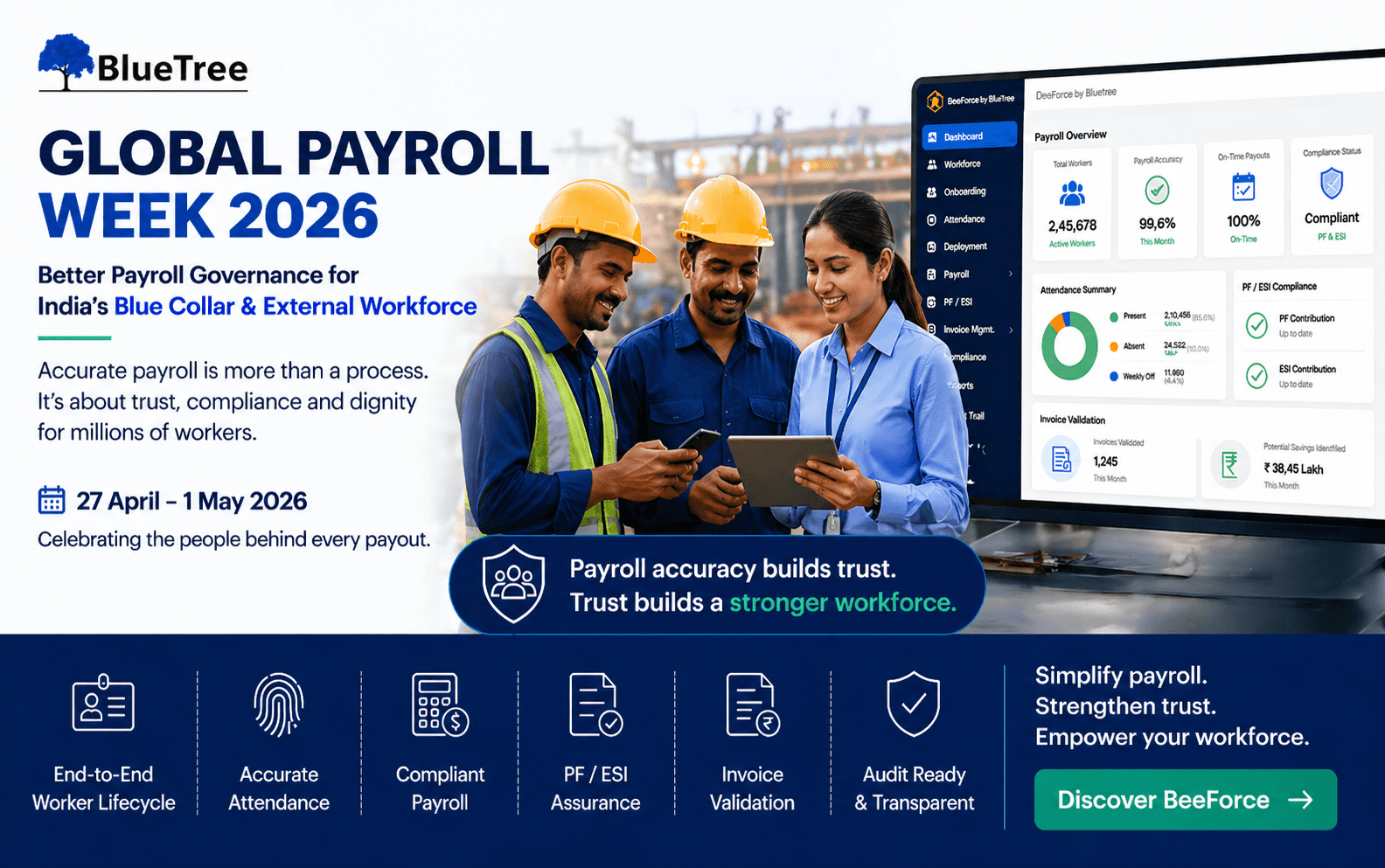
Global Payroll Week 2026: Why Blue Collar Payroll Needs Better Governance
Read More >
7-8 Minutes
|
All
category
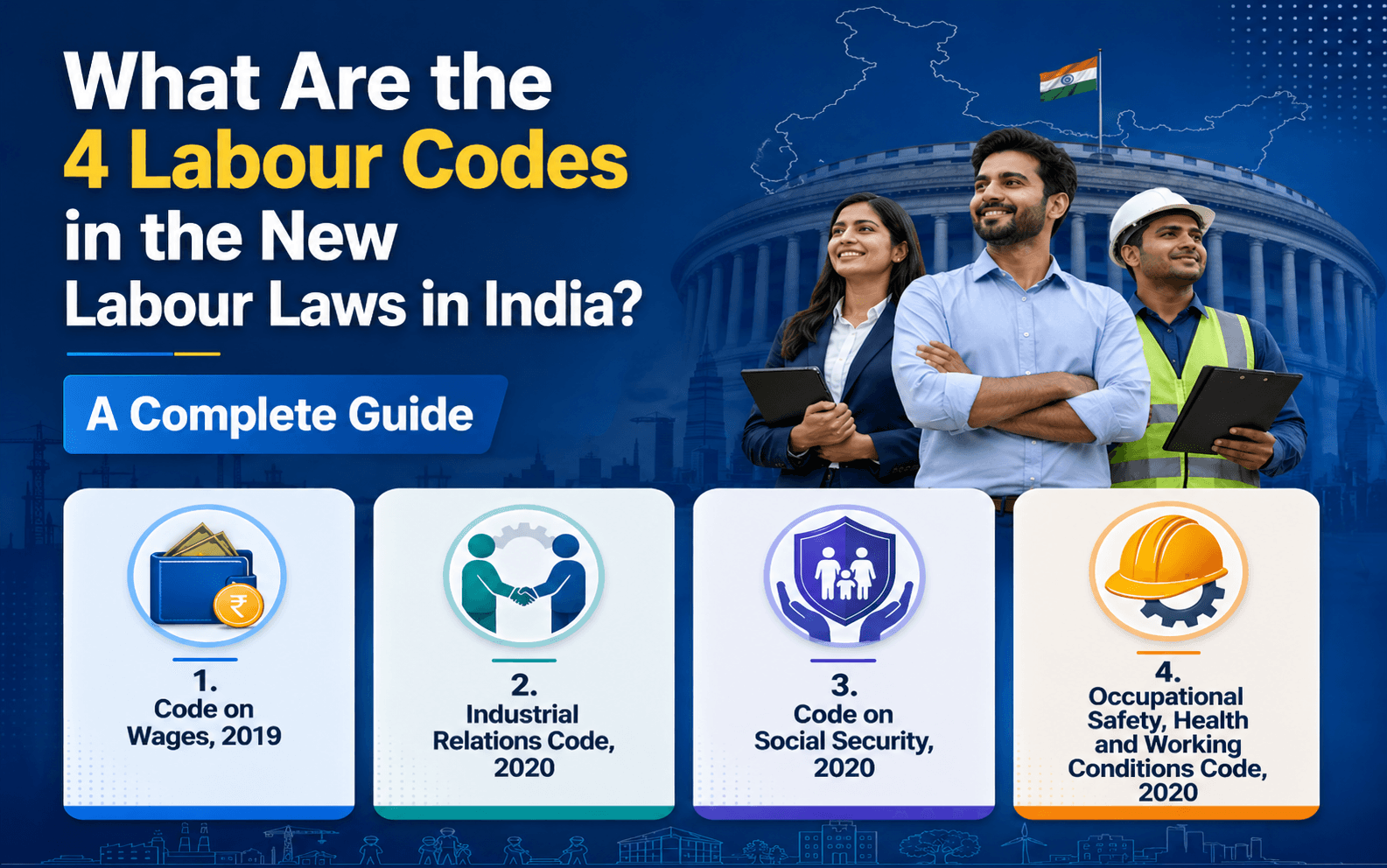
What Are the 4 Labour Codes in the New Labour Laws in India? A Complete Guide
Read More >

15 to 17 minutes
|
All
category
What Are the New External Workforce Trends in 2026?
Read More >