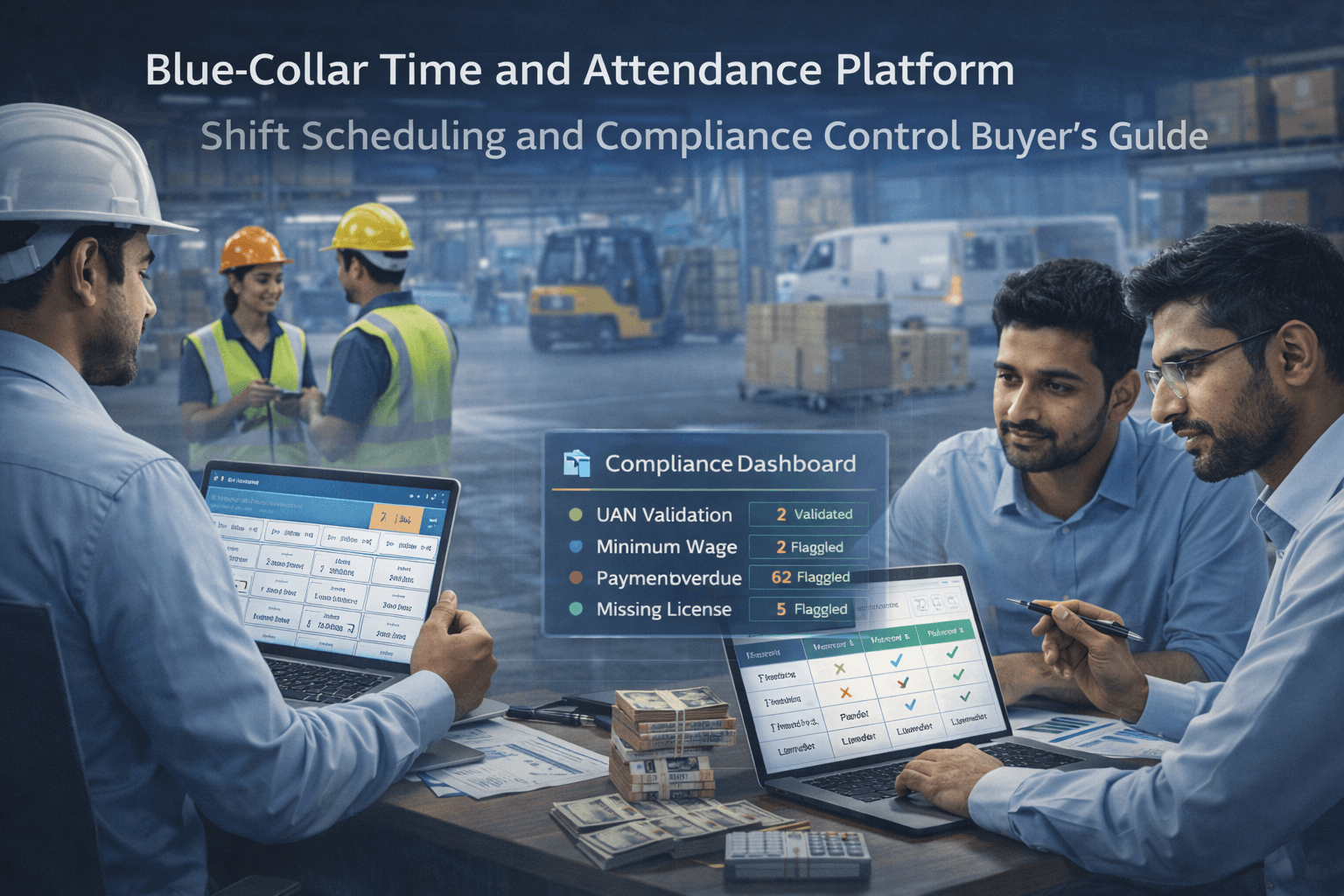
Companies lose money to attendance leakage, uncontrolled overtime, and ghost workers because biometric punches, spreadsheet payroll, and checks run in silos. This guide outlines what blue collar time attendance software and a contract workforce attendance system must include: biometric plus geo verification, shift scheduling with statutory controls, real-time payroll sync, vendor accountability, and automated compliance alerts that prevent fraud instead of recording it.
Introduction
Managing attendance for a large-scale blue-collar workforce is a critical operational challenge. In manufacturing, logistics, retail, and ecommerce sectors, workers are distributed across multiple sites, shifts, and vendors. Without a structured system, enterprises face inconsistencies, compliance gaps, payroll disputes, and inefficiencies in operational planning.
Modern blue-collar attendance software addresses these challenges by providing centralized workforce attendance tracking, shift scheduling, and compliance enforcement. In many enterprises, platforms like BlueTree are naturally integrated into operations, where attendance capture, shift management, and statutory validation occur as part of standard workflows rather than separate processes. This integration ensures that workforce operations are accurate, traceable, and auditable across all sites.
Why Is Finding the Right Attendance Management System Essential?
Enterprises require attendance platforms that go beyond simple time logging. Accurate workforce attendance tracking is foundational to operational efficiency, statutory compliance, payroll accuracy, vendor accountability, and workforce planning. In large-scale blue-collar operations, errors or delays in attendance data can have cascading impacts on productivity, cost, and legal compliance.
Below is a detailed breakdown of why the right system is essential:
1. Operational Efficiency
Large-scale blue-collar operations require precise workforce deployment to meet production targets and maintain service quality. Without an integrated attendance system:
Idle Workers: Missed or incorrect shift assignments lead to workers being underutilized at site gates or operational lines.
Unplanned Overtime: To compensate for coverage gaps, supervisors may approve unplanned overtime, increasing labor costs.
Supervisor Burden: Supervisors spend excessive time reconciling schedules, correcting errors, and approving manual entries.
Productivity Drops: Delays in workforce deployment during peak cycles reduce output and service efficiency.
Integrated attendance platforms, such as BlueTree, align workforce deployment with real-time shift schedules, labor requirements, and operational priorities. The platform automates notifications, shift swaps, and absentee management, reducing idle time and minimizing operational gaps.
Eg: In a manufacturing plant with 1,200 workers across three shifts, BlueTree’s system automatically reassigns workers from low-priority shifts to critical lines when absenteeism is detected, ensuring production targets are met without manual intervention.
2. Compliance Adherence
Attendance records are the foundation for statutory compliance. Inaccurate or delayed tracking can result in:
Missed PF/ESI Contributions: Unrecorded hours or unverified attendance leads to incorrect social security contributions.
Minimum Wage Violations: Incorrect tracking of hours or overtime may breach minimum wage regulations.
Audit Penalties: Regulatory inspections may find gaps in attendance logs, resulting in fines or legal notices.
Platforms like BlueTree embed compliance verification into every attendance record. Each clock-in and clock-out is automatically validated against statutory requirements, ensuring PF, ESI, and wage compliance before payroll processing.
Eg: In a logistics company, BlueTree flags shifts where contract workers exceeded statutory maximum hours, allowing supervisors to adjust schedules proactively, reducing regulatory risk.
3. Payroll Accuracy
Payroll errors often originate from inconsistent or incomplete attendance data. Common issues include:
Duplicate or Missing Punch Records: Workers’ attendance is recorded incorrectly, causing overpayment or underpayment.
Overtime Miscalculations: Manual tracking of extra hours introduces errors.
Delayed Reconciliation: Manual verification between attendance and payroll increases processing time and dispute risk.
Attendance platforms integrate time tracking directly with payroll systems. This ensures:
Accurate wage calculations based on shifts worked, overtime, and statutory rules
Automatic deductions or adjustments for missing or incorrect punches
Traceable audit logs for each payroll cycle
Eg: A warehouse using BlueTree reconciles 5,000 worker attendance records weekly with payroll automatically, preventing disputes and reducing payroll processing time by 30%.
4. Vendor Accountability
Enterprises often manage blue-collar workers through contractors or staffing vendors. Accurate attendance is critical for:
Verification of Workforce Deployment: Confirms vendors provide the required workers on scheduled shifts.
Performance Tracking: Monitors adherence to schedules and operational KPIs.
Billing Accuracy: Ensures vendor invoices match verified attendance, preventing overpayments or disputes.
By integrating attendance capture with vendor reporting and approval workflows, platforms like BlueTree provide transparency across the workforce supply chain. Exceptions, such as missing shifts or late arrivals, are flagged automatically for review.
Eg: A retail chain with multiple contractors can view attendance compliance per vendor in real-time dashboards, reducing billing disputes and improving contract governance.
5. Workforce Visibility
Centralized attendance data provides enterprise managers and HR teams with actionable insights:
Identify Absenteeism Trends: Patterns of repeated absence or late arrivals are highlighted, enabling proactive intervention.
Efficient Resource Allocation: Managers can redeploy workers to critical areas based on real-time data.
Shift Adherence Monitoring: Ensures that operational schedules are met consistently across multiple sites.
Proactive Operational Decisions: Data-driven insights support strategic workforce planning and peak demand management.
Natural integration of attendance software into workforce operations ensures these insights are part of daily management processes, not just retrospective reports.
Eg: Using BlueTree, an operations manager in an e-commerce fulfillment center can identify underperforming shifts across multiple warehouses and redistribute staff to maintain service levels during peak periods.
How Time and Attendance Systems Can Solve Workplace Issues
In large-scale blue-collar operations, time and attendance management is not merely a tool for logging hours. It is a strategic operational control point that impacts productivity, compliance, and payroll accuracy. When deployed in a structured enterprise context, a modern blue-collar attendance software platform addresses multiple operational challenges:
1. Shift Compliance
Workers are automatically tracked against scheduled shifts using mobile, biometric, or QR-based attendance capture.
Deviations, such as late arrivals or early departures, trigger alerts to supervisors in real time.
Shift adherence dashboards allow managers to monitor compliance across multiple factories, warehouses, or retail locations.
Eg: In a manufacturing plant with 1,500 operators across three shifts, BlueTree platforms automatically flag any missed punches and notify supervisors. Managers can reassign available workers or adjust production targets without manual intervention, ensuring lines continue to operate at full capacity.
2. Overtime Management
Overtime is calculated automatically based on preconfigured rules and statutory limits.
Exceptions, such as unsanctioned overtime or overtime exceeding legal limits, are highlighted for supervisor review.
The system can enforce cumulative weekly or monthly limits to prevent fatigue or legal violations.
Eg: A logistics warehouse operating 24/7 can automatically calculate overtime for drivers or warehouse staff. BlueTree tracks and validates hours worked, ensuring compliance with labour law regulations while reducing payroll disputes.
3. Absenteeism Tracking
The system identifies patterns of absenteeism across individual workers, shifts, or sites.
Supervisors can proactively reassign staff or adjust shift allocations to maintain operational continuity.
Historical absenteeism data can inform HR planning, hiring, and vendor performance evaluation.
Eg: In a retail chain, managers can quickly spot consistent absentees in weekend shifts. BlueTree dashboards allow HR teams to reallocate staff or engage contractors preemptively, avoiding service disruption.
4. Multi-Site Visibility
Managers and HR teams gain centralized visibility of attendance and workforce metrics across all operational sites.
This includes factories, warehouses, distribution centers, and retail outlets.
Enables consistent policy enforcement and workforce planning across the enterprise.
Eg: An enterprise managing 10 warehouses across different cities can monitor attendance in real time. BlueTree allows supervisors to compare shift adherence, detect anomalies, and deploy resources where needed.
5. Payroll Integration
Attendance data feeds directly into payroll systems, reducing manual reconciliation.
Ensures accurate wage calculation based on hours worked, shift allocations, overtime, and compliance with statutory rules.
Supports contractor and vendor billing alignment with verified attendance.
Eg: A logistics company processing payroll for 2,000 delivery personnel can reconcile shifts, overtime, and leave automatically. BlueTree ensures that payroll matches actual attendance and statutory requirements, minimizing disputes and processing time.
6. Fraud Prevention
Biometric verification, mobile check-ins, and geo-tagging prevent buddy punching and ghost workers.
Each attendance record is time-stamped and linked to a verified worker ID.
Anomalies or repeated exceptions trigger alerts and exception workflows.
Eg: In a manufacturing facility using multiple contractors, BlueTree automatically validates fingerprints or mobile check-ins against shift schedules. Any inconsistencies are flagged, ensuring that only authorized workers are counted in payroll and compliance reports.
Integrated Operational Value
When these features are naturally incorporated into enterprise workflows, attendance systems transition from being a passive reporting tool to an active operational control layer.
Supervisors can manage labor allocation dynamically across multiple shifts.
HR teams maintain compliance and wage accuracy without manual reconciliation.
Vendors and contractors are accountable, with performance metrics tied to verified attendance.
BlueTree platforms embed these controls seamlessly, so attendance, shift scheduling, compliance, and payroll flow are part of the daily operational workflow, not separate tasks. This ensures a proactive, auditable, and efficient workforce management system.
Why Attendance Software Is Not Enough
While basic attendance platforms can capture clock-ins and clock-outs, they often fail to meet the needs of enterprise-scale blue-collar operations. The challenges stem from complex shift patterns, compliance obligations, multiple vendors, and operational scale.
1. Shift Scheduling May Be Manual or Unsupported
Many platforms do not support multi-shift operations, dynamic shift swaps, or variable schedules.
Manual scheduling creates delays in workforce deployment and increases administrative overhead.
Without automated notifications, supervisors may miss late arrivals, early departures, or unplanned absences.
Eg: In a manufacturing plant with three overlapping shifts, manual scheduling leads to coverage gaps and idle labor. Platforms integrated into operations, such as BlueTree, allow real-time shift assignment, automated alerts, and exception handling, ensuring operational continuity.
2. Compliance Checks Are Not Integrated
Basic systems often rely on manual verification for PF, ESI, minimum wage, and statutory overtime.
Errors or omissions in compliance increase legal and audit risk.
Post-facto corrections require significant HR and finance resources.
Eg: In a logistics hub, failure to track statutory working hours may result in overtime violations or PF discrepancies. Integrating attendance with compliance workflows, as BlueTree does, ensures each attendance record is validated against statutory rules before payroll.
3. Vendor Accountability Is Minimal
Enterprises frequently engage contractors or staffing vendors to manage blue-collar workforces.
Traditional software does not track whether vendors deploy the correct number of workers on scheduled shifts.
Lack of vendor oversight leads to billing disputes and operational inefficiencies.
Eg: A retail chain with multiple staffing vendors cannot manually verify that each vendor’s workforce met attendance requirements across 50 stores. With platforms like BlueTree, vendor performance dashboards track attendance, shifts, and exceptions in real time.
4. Integration With Payroll and HRMS Is Weak
Basic attendance systems often generate static reports rather than integrating with payroll or HR systems.
Manual reconciliation increases errors in wage calculation, overtime computation, and contractor billing.
Inaccurate data propagates into payroll, causing disputes and delayed payments.
Eg: In an ecommerce warehouse, manual payroll reconciliation for 1,200 workers resulted in multiple errors and extended payroll cycles. Integration with platforms like BlueTree ensures attendance, shift, and compliance data flows directly into payroll and HR systems, eliminating manual errors.
5. Reporting and Analytics Are Limited
Basic systems provide static attendance logs without actionable insights.
Supervisors and HR cannot proactively detect absenteeism trends, overtime spikes, or shift coverage gaps.
Limited analytics prevent data-driven operational and compliance decisions.
Eg: A manufacturing enterprise using spreadsheets could not identify absenteeism trends across multiple plants. Platforms integrated naturally into operational workflows, like BlueTree, provide real-time dashboards and analytics, enabling managers to optimize staffing and proactively address compliance issues.
Enterprise-Grade Solution
In a natural enterprise workflow:
Attendance capture is linked with shift management to enforce schedule adherence.
Compliance is embedded into every record, reducing risk and manual corrections.
Vendor oversight is centralized, ensuring contractors meet operational expectations.
Payroll and HR integration is seamless, reducing errors and delays.
Reporting and analytics provide actionable insights for real-time operational decision-making.
By integrating these elements, attendance becomes an operational control point rather than a simple reporting tool, allowing enterprises to manage workforce efficiency, compliance, and productivity at scale.
Factors to Consider When Choosing a Time and Attendance Platform
Selecting the right platform for blue-collar workforce attendance is critical. Enterprises must evaluate systems not just on basic attendance capture, but on how they integrate operational control, compliance, and analytics across multi-site, multi-vendor environments. Below is a detailed breakdown of each factor:
1. Core Capabilities
Multi-Site Support: The platform must track attendance across multiple factories, warehouses, retail stores, or field locations, ensuring a consistent operational workflow.
Multi-Shift Management: Should handle overlapping shifts, rotational schedules, and peak-demand shifts without manual intervention.
Mobile and Biometric Attendance: Mobile apps, QR code check-ins, fingerprint scanners, and facial recognition ensure accurate verification and reduce buddy punching.
2. Compliance Integration
The system must automatically validate statutory requirements, including:
PF and ESI contributions
Minimum wage compliance
Overtime limits and rules
Compliance checks should be embedded into attendance capture, not performed retrospectively.
3. Scalability
The platform must handle thousands of workers across multiple sites and vendors without performance degradation.
Should support sudden increases in workforce, such as seasonal hiring peaks or temporary deployment.
4. Integration
Seamless connectivity with payroll, HRMS, and ERP systems is essential.
Attendance records should flow automatically into wage calculation, contractor billing, and workforce analytics.
Integration eliminates manual reconciliation errors and ensures real-time operational visibility.
5. Real-Time Analytics
Dashboards should provide visibility for supervisors, HR, and compliance teams.
Insights include absenteeism patterns, shift adherence, overtime trends, and workforce productivity.
Supports data-driven decision-making for deployment, reallocation, and staffing.
6. Vendor Oversight
For enterprises using contractors, the platform must track vendor compliance and attendance quality.
Should provide reports comparing vendor performance against agreed service levels.
Supports accountability without manual verification or audits.
7. Audit Readiness
Attendance records must be digitally traceable, exportable, and inspection-ready.
The system should maintain an audit trail for every clock-in/out, shift change, and exception.
Ensures enterprises are prepared for statutory inspections without last-minute data collection.
Part 1: Core Features to Evaluate
A robust attendance platform must go beyond simple time capture to enable operational control, compliance, and workforce visibility. Below is a detailed look at the core features enterprises should evaluate:
1. Mobile and Biometric Attendance Tracking
Modern platforms must support multiple verification methods to ensure accuracy and prevent fraud:
QR Codes, Fingerprints, Facial Recognition, and Mobile Apps: Workers can clock-in and out using their preferred method. Biometric verification ensures identity authenticity, while mobile apps enable flexible site check-ins.
Geo-Fencing for Site Verification: Attendance is only accepted within predefined geographic boundaries, reducing buddy punching and ghost attendance.
Real-Time Capture and Audit Logs: Every punch is time-stamped and stored, creating a complete audit trail. Supervisors and HR teams can track exceptions immediately.
Eg: In a logistics hub with 1,500 delivery personnel, BlueTree allows supervisors to verify driver check-ins at each site using mobile apps with geo-fencing, ensuring compliance and operational accuracy.
2. Shift Scheduling and Calendar Management
Effective shift management ensures operational continuity across multiple sites:
Dynamic Allocation of Workers Across Multiple Shifts: The platform can automatically assign workers to shifts based on availability, skill, and demand.
Automated Alerts: Notifications for late arrivals, early departures, or swap requests allow supervisors to respond quickly to workforce disruptions.
Integration with Operational Planning: Shift schedules can be aligned with production, warehouse operations, or retail staffing requirements.
Eg: A manufacturing plant with three overlapping shifts uses BlueTree to automatically reassign available workers when absenteeism occurs, maintaining production targets without manual intervention.
3. Overtime and Leave Management
Attendance platforms must manage not just scheduled hours but also additional work and absences:
Tracks Hours Beyond Scheduled Shifts: Automatic calculation of overtime ensures accurate payout and compliance with labour laws.
Integrates Leave Requests, Absenteeism, and OT Policies: The system aligns attendance data with leave policies and planned absences.
Includes Approval Workflows: Supervisors and HR teams can approve exceptions or additional hours within the system, ensuring accountability and audit readiness.
Eg: In a retail warehouse, BlueTree flags overtime automatically and routes approvals to supervisors, ensuring payroll reflects actual work without manual correction.
4. Payroll and HR Integration
A core feature for enterprise efficiency is seamless integration with payroll and HR systems:
Attendance Data Feeds Directly into Payroll: Eliminates manual reconciliation and ensures timely and accurate wage calculation.
Reduces Reconciliation Effort and Errors: Automated alignment between attendance and wage computation minimizes disputes.
Eg: An ecommerce fulfillment center uses BlueTree to integrate attendance, overtime, and leave records directly with payroll, cutting payroll processing time by 30% and reducing errors significantly.
5. Real-Time Alerts and Exception Handling
Monitoring attendance anomalies is critical for operational control:
Flags Missing Punches or Incomplete Records: The system immediately identifies deviations from scheduled attendance.
Sends Notifications to Supervisors and HR: Alerts are sent in real-time for timely intervention, ensuring coverage and compliance.
Eg: A multi-site logistics operation receives instant alerts when drivers miss check-ins. BlueTree dashboards allow supervisors to reassign resources quickly, preventing operational delays.
Part 2: Compliance Features – What Separates Serious Platforms
Attendance platforms in enterprise blue-collar operations must go beyond basic tracking to ensure compliance is integrated into daily workforce management. The most effective systems provide multiple layers of control, allowing organizations to meet statutory obligations, reduce audit risk, and manage vendors efficiently. Below is a detailed look at each compliance feature.
1. Embedded Labour Law Enforcement
Platforms must automatically validate statutory rules such as PF, ESI, minimum wage, and overtime during attendance capture.
Compliance checks occur in real time, ensuring that each shift, overtime, and worker assignment adheres to legal requirements.
Exceptions, such as missing statutory contributions or hours exceeding legal limits, are flagged before payroll or deployment.
Eg: A manufacturing unit in India uses BlueTree to ensure that contract workers’ PF and ESI contributions are calculated against hours worked and verified shifts. This prevents retroactive adjustments and regulatory penalties.
Embedding compliance into attendance workflows reduces manual checks and ensures workers are paid correctly while maintaining statutory adherence.
2. Audit-Ready Registers
Attendance systems must maintain digital, traceable, and exportable records.
Registers should include timestamps, worker identity, site, shift, and exception details, ready for inspections or audits.
Historical data must be stored in a way that auditors can validate workforce compliance for multiple reporting periods.
Eg: In a logistics hub with multiple vendors, BlueTree automatically logs all attendance, shift allocations, and overtime exceptions. When labour inspections occur, the HR team can export a fully compliant, audit-ready report instantly.
Digital registers reduce administrative burden, increase transparency, and make enterprises inspection-ready without last-minute manual effort.
3. Vendor Oversight
Enterprises often rely on contractors to supply blue-collar workers. Platforms must monitor vendor performance and compliance across sites.
This includes verifying workforce deployment, shift adherence, and statutory compliance for each vendor.
Performance metrics can be linked to vendor billing, ensuring accountability.
Eg: A retail chain with multiple staffing vendors tracks attendance accuracy across 50 stores. BlueTree dashboards highlight vendor compliance rates, allowing managers to identify underperforming contractors and take corrective action.
Real-time vendor oversight reduces disputes, ensures operational consistency, and enforces accountability.
4. Fraud Prevention
Biometric verification, mobile check-ins, and geo-tagging are essential to prevent buddy punching and ghost employees.
Every attendance record is linked to verified worker identity and site location.
Repeated anomalies trigger automatic alerts to supervisors for investigation.
Eg: In a warehouse environment, a contractor attempts to clock in multiple workers from a single device. BlueTree flags this as an exception, ensuring only authorized workers are counted toward attendance and payroll.
Fraud prevention protects payroll accuracy and strengthens workforce integrity across high-volume operations.
5. Exception Workflows
Attendance platforms must include automated workflows for handling exceptions, such as missing punches, late arrivals, or incorrect shift data.
Exceptions are escalated automatically to supervisors, HR, or compliance teams.
Resolved exceptions are logged for audit purposes, maintaining a full traceable record.
Eg: A factory notices repeated missed punches for night-shift workers. BlueTree triggers an automated exception workflow, notifying supervisors and linking the issue to payroll adjustments, ensuring accurate wage processing.
Exception workflows ensure operational continuity, prevent payroll errors, and maintain statutory compliance in real time.
Part 3: Evaluating Vendors – Key Questions to Ask
When selecting a time and attendance platform for blue-collar operations, enterprises must evaluate vendors carefully. Basic checklists are insufficient; you need operational insight to ensure the system can handle scale, compliance, and real-world workforce complexities.
Below is a detailed examination of the key questions enterprises should ask:
1. Can it scale across thousands of workers and multiple sites?
Enterprise operations often span multiple factories, warehouses, retail outlets, or field locations.
The platform must process high-volume attendance data without latency or system errors.
Scalability ensures that seasonal or peak workforce surges can be accommodated without performance degradation.
Eg: A logistics company with 3,000 drivers across 10 hubs needs attendance data processed in real time. Platforms like BlueTree handle multi-site, multi-vendor attendance seamlessly, maintaining operational continuity.
2. Does it support mobile and biometric attendance tracking?
Mobile apps, QR codes, fingerprints, and facial recognition are essential for accurate worker verification.
Platforms should support geo-tagging to confirm location and prevent buddy punching.
This ensures attendance integrity and provides auditable records.
Eg: A warehouse with rotating contract staff uses mobile attendance to log shift entry. BlueTree integrates biometric validation to prevent unauthorized punches and maintain payroll accuracy.
3. Can it enforce complex shifts and overtime rules?
Enterprises often have overlapping shifts, rotational schedules, and statutory overtime limits.
The platform should automatically calculate overtime, enforce maximum hours, and trigger alerts for irregularities.
Accurate shift enforcement reduces operational gaps and prevents compliance violations.
Eg: A manufacturing plant with three overlapping shifts relies on BlueTree to automatically assign overtime based on predefined rules and alert supervisors when limits are exceeded.
4. Are compliance checks automated?
Attendance data must validate statutory requirements such as PF, ESI, minimum wages, and overtime.
Automated compliance reduces legal risk, minimizes manual checks, and ensures audit-readiness.
Eg: In a retail chain, BlueTree flags shifts that exceed legal working hours and validates PF/ESI contribution per worker before payroll is processed.
5. Does it integrate with payroll, HRMS, and ERP?
Integration eliminates manual reconciliation and errors.
Payroll calculations, leave adjustments, vendor billing, and operational reporting should flow automatically from attendance data.
Eg: An ecommerce fulfillment center uses BlueTree to integrate worker attendance with payroll and HRMS, reducing payroll processing time and disputes by 30%.
6. Can it monitor vendor and contractor accountability?
For outsourced workforces, the platform should track vendor compliance with shifts, attendance accuracy, and operational performance.
Real-time dashboards should highlight underperforming vendors or workforce gaps.
Eg: A logistics operation with multiple staffing vendors uses BlueTree dashboards to track compliance and attendance by vendor, enabling proactive issue resolution.
7. Does it provide dashboards and real-time insights?
Supervisors and HR teams require actionable insights: absenteeism trends, shift adherence, overtime spikes, and operational gaps.
Real-time dashboards allow managers to make data-driven decisions rather than relying on manual reporting.
Eg: A manufacturing enterprise can identify recurring absenteeism in critical lines and redeploy available workers immediately. BlueTree provides visual dashboards with drill-down capability for shift, vendor, and site-level insights.
Part 4: Vendor Scoring Framework
Selecting the right attendance platform requires more than assigning numerical scores. Enterprises must evaluate vendors across multiple operational, compliance, and integration dimensions, with contextual insights, examples, and workflows.
Below is a detailed, stepwise approach:
Step 1: Core Functional Evaluation
Objective: Ensure the platform can capture and manage attendance accurately across all sites and shifts.
Considerations:
Support for multi-site and multi-shift operations
Mobile and biometric attendance tracking (QR, fingerprint, face recognition)
Geo-fencing for site verification
Real-time capture and audit logging
Operational Assessment:
Review sample data from the vendor for accuracy in high-volume environments.
Conduct a pilot with a single site to validate reliability.
Check how exceptions (late arrivals, missed punches) are handled in real time.
Platforms like BlueTree integrate core attendance features directly into operational workflows, reducing manual reconciliation and improving shift adherence.
Step 2: Compliance and Statutory Validation
Objective: Verify that the platform enforces statutory compliance automatically.
Considerations:
PF and ESI calculations
Minimum wage checks
Overtime rules aligned with labour regulations
Audit-ready exportable records
Operational Assessment:
Simulate payroll periods to check automated statutory validation.
Evaluate how the platform flags compliance violations and integrates with approvals.
Check historical audit trails for completeness and traceability.
Compliance verification is embedded in attendance workflows, so enterprises do not have to perform retrospective manual checks.
Step 3: Vendor and Contractor Accountability
Objective: Ensure the platform can monitor workforce provided by multiple contractors.
Considerations:
Vendor performance dashboards
Real-time tracking of workforce deployment
Accuracy of attendance and compliance per vendor
Exception management for vendor non-compliance
Operational Assessment:
Compare reported attendance versus verified attendance for sample vendors.
Review dashboards to see how underperformance is highlighted and escalated.
Confirm whether vendor performance links to payroll or billing systems.
Platforms naturally tie vendor performance to operational and compliance metrics, providing visibility without additional reporting overhead.
Step 4: Integration and Operational Insights
Objective: Evaluate whether the platform integrates seamlessly with HR, payroll, and ERP systems while providing actionable analytics.
Considerations:
Integration with payroll, HRMS, and ERP
Real-time dashboards for supervisors, HR, and compliance teams
Customizable analytics for absenteeism, overtime, and productivity trends
Operational Assessment:
Run integration simulations to ensure attendance data flows correctly into payroll.
Evaluate dashboards for ease of use and decision-making support.
Test exception reports and trend analytics to ensure actionable insights.
Integration is embedded into operations, so supervisors and HR can act on real-time data without manual reconciliation.
Step 5: Exception and Risk Management
Objective: Assess the platform’s ability to identify, escalate, and resolve attendance anomalies.
Considerations:
Automated alerts for missed punches, late arrivals, or shift deviations
Exception workflows for approval and resolution
Traceable logs for audit and compliance
Operational Assessment:
Review system-generated exception reports for sample periods.
Check the escalation workflow for clarity and timeliness.
Confirm that exceptions link to payroll adjustments and vendor accountability.
Exceptions are handled proactively within workflows, ensuring operational continuity and reducing compliance risk.
Step 6: Practical Evaluation Checklist
Instead of assigning arbitrary numeric scores, enterprises can use a checklist approach to evaluate vendors:
Category | Key Questions | Practical Assessment |
Core Functionality | Multi-site, multi-shift, mobile/biometric tracking | Pilot deployment, exception handling |
Compliance | Automatic PF/ESI, minimum wage, overtime | Test payroll simulation, audit trail review |
Vendor Oversight | Real-time vendor tracking and reporting | Review dashboards, escalation workflow |
Integration | HRMS, payroll, ERP, analytics | Simulate data flow and dashboard insights |
Exception Management | Automated alerts, approvals, traceable logs | Test real-time alerts, resolution workflow |
This approach turns vendor evaluation into an operational exercise, where each platform is assessed on real use cases, compliance validation, integration, and workflow efficiency, rather than abstract scores.
This method ensures the vendor selection process is practical, contextual, and actionable, aligning with enterprise operational, compliance, and workforce management requirements. Platforms like BlueTree naturally embed these capabilities into daily workflows, ensuring attendance, compliance, and vendor accountability are proactively managed.
Why Choose BlueTree for Blue-Collar Time and Attendance Management?
In large-scale blue-collar environments, attendance is not an isolated HR function. It is a core operational control layer that directly influences workforce deployment, compliance exposure, payroll accuracy, and vendor performance. Enterprises require a system that connects all these dimensions into a single, controlled workflow.
This is where platforms like BlueTree become part of the operational fabric rather than just a software layer.
1. Unified Workforce Control Across Sites, Shifts, and Vendors
Blue-collar operations rarely function from a single location. Enterprises typically operate across:
Multiple manufacturing plants
Distributed warehouses and logistics hubs
Retail stores or field operations
Multiple staffing vendors and contractors
BlueTree enables a single view of workforce attendance across all sites, ensuring that HR and operations teams do not work with fragmented data sources.
Operational Flow:
Workers are mapped to site, shift, and vendor at onboarding stage
Attendance is captured in real time through mobile or biometric systems
Data flows into a centralized dashboard visible to HR, operations, and compliance teams
This eliminates dependency on Excel sheets, vendor reports, or delayed manual consolidation.
2. Shift Scheduling as an Operational Layer, Not a Manual Task
In most enterprises, shift planning is still reactive and manually adjusted. This creates gaps such as:
Understaffed shifts during peak demand
Overlapping workforce allocation
Uncontrolled overtime due to last-minute changes
BlueTree structures shift scheduling as a system-driven operational layer.
How it works in practice:
Shift templates are defined by site and department
Workers are assigned based on availability and skill mapping
Any deviation (late arrival, absence, or swap request) triggers real-time visibility
Supervisors can reassign workforce dynamically without manual dependency
This ensures that shift execution aligns with operational demand in real time, not after the fact.
3. Embedded Compliance Instead of Post-Facto Checks
Traditional attendance systems treat compliance as a separate downstream process. This creates risk because violations are detected only during payroll or audits.
BlueTree integrates compliance directly into attendance workflows.
Embedded compliance includes:
PF and ESI eligibility validation at worker level
Minimum wage and overtime rule enforcement during shift calculation
Statutory hour limit checks before payroll finalization
Automated audit trail creation for every attendance event
Operational impact:
Compliance is no longer a corrective activity. It becomes a preventive system control embedded within attendance itself.
4. Vendor Accountability Through Structured Workforce Visibility
In external workforce models, vendors play a critical role in supplying manpower. However, lack of visibility leads to:
Mismatch between deployed vs billed workforce
Inconsistent attendance reporting
Limited accountability for workforce quality
BlueTree creates structured vendor-level accountability layers.
Operational structure:
Each worker is mapped to a vendor at onboarding
Vendor-wise attendance and compliance dashboards are maintained
Exceptions such as absenteeism, late arrivals, or missing shifts are tracked per vendor
Performance visibility is continuous, not periodic
This ensures vendors are measured not just on supply, but on actual workforce execution quality.
5. Real-Time Exception Management and Operational Control
In high-volume environments, exceptions are unavoidable. What differentiates mature systems is how quickly they are detected and resolved.
BlueTree handles exceptions as a continuous operational workflow.
Examples of exceptions:
Missing punch-in or punch-out
Shift mismatch
Unauthorized overtime
Biometric mismatch or invalid entry
Workflow approach:
Exceptions are flagged instantly in real time
Assigned to responsible owner (HR, supervisor, or vendor)
Resolution is tracked with timestamps and audit logs
Closed exceptions automatically update payroll and compliance records
This ensures that exceptions do not accumulate into payroll or compliance risks.
6. Payroll and Workforce Data Synchronization
One of the most critical enterprise challenges is disconnect between attendance and payroll systems.
BlueTree eliminates this gap by ensuring:
Attendance data is directly mapped to payroll rules
Overtime, shift differentials, and absences are automatically calculated
Vendor billing aligns with verified attendance data
Manual reconciliation effort is significantly reduced
Operational outcome:
Payroll becomes a system-generated output of validated attendance data, not a manually assembled process.
7. Real-Time Workforce Intelligence for Decision Making
Beyond tracking, enterprises require insights that support planning and optimization.
BlueTree provides structured visibility into:
Attendance trends across sites and shifts
Absenteeism patterns by worker, vendor, or location
Overtime distribution and cost impact
Workforce utilization efficiency
This allows HR and operations teams to move from reactive reporting to proactive workforce planning.
Conclusion
Blue-collar workforce management has evolved far beyond simple attendance tracking. In today’s enterprise environment, attendance is no longer a standalone HR activity but a foundational operational control system that directly influences productivity, compliance, payroll accuracy, and vendor governance.
Enterprises that continue to rely on fragmented or manual approaches to attendance management face recurring challenges such as shift inefficiencies, compliance gaps, payroll disputes, and limited visibility across distributed operations. These issues are not isolated; they compound across the workforce lifecycle and impact overall operational performance.
A structured time and attendance software approach ensures that every workforce action, from shift assignment to clock-in validation and overtime calculation, is captured, verified, and aligned with operational and statutory requirements. This creates a single source of truth for workforce execution across sites, vendors, and functions.
Within this context, platforms like BlueTree naturally function as part of an integrated enterprise ecosystem where attendance, compliance, shift scheduling, and vendor accountability operate in a unified workflow. This ensures that decisions are based on real-time, validated workforce data rather than delayed or manually reconciled reports.
The shift is clear. Attendance management is no longer about recording time. It is about enabling controlled workforce execution at scale.
Enterprises that adopt a structured, system-driven approach to blue-collar attendance gain measurable advantages:
Higher operational efficiency through accurate shift execution
Stronger compliance adherence through embedded statutory validation
Improved payroll integrity with reduced reconciliation effort
Better vendor accountability through transparent workforce tracking
Real-time visibility into workforce performance across all locations
As workforce complexity continues to grow across manufacturing, logistics, retail, and ecommerce ecosystems, the role of blue-collar attendance software becomes increasingly strategic. It acts as the backbone of workforce operations, ensuring that every shift, every hour, and every worker is accounted for in a controlled and auditable manner.
Ultimately, enterprises that move from fragmented attendance processes to a unified, intelligent, and compliance-driven system are better positioned to scale efficiently, reduce operational risk, and maintain workforce stability in dynamic environments.


Manage External Workforce with BlueTree - Govern contract, gig, and blue collar workers across vendors, sites, and shifts.
Frequenty Asked Questions
4-5 Minutes
|
All
category
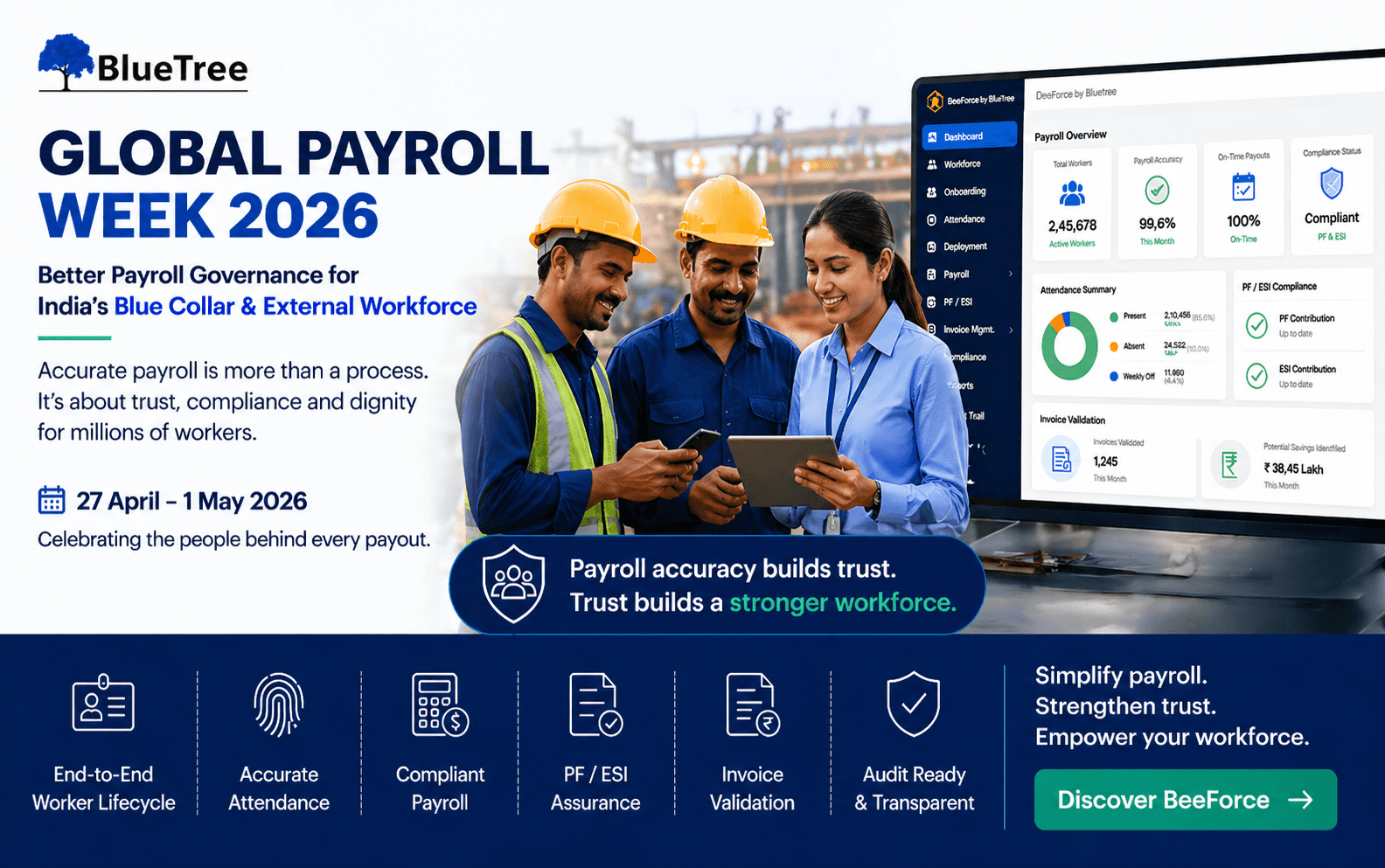
Global Payroll Week 2026: Why Blue Collar Payroll Needs Better Governance
Read More >
7-8 Minutes
|
All
category
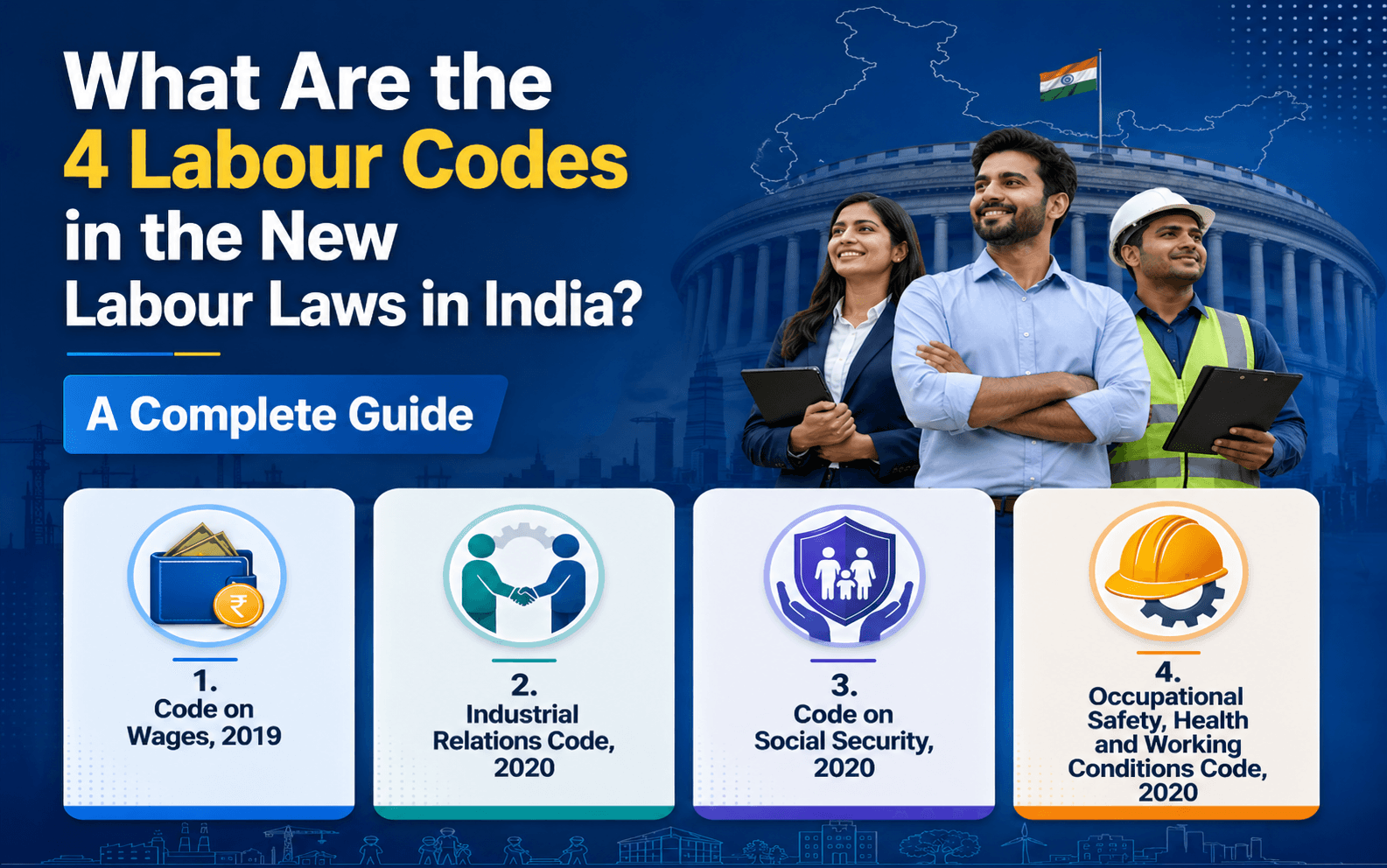
What Are the 4 Labour Codes in the New Labour Laws in India? A Complete Guide
Read More >

15 to 17 minutes
|
All
category
What Are the New External Workforce Trends in 2026?
Read More >